Free Speech-to-Text for Mac: On-Device Whisper AI Explained
March 12, 2026 · 7 min read
Your Mac can transcribe speech with near-human accuracy — for free, without an internet connection, and without sending a single byte to the cloud. No subscription, no API key, no account. Just your Mac's own processor doing the work.
The technology behind it is called Whisper AI, and in the past two years it has quietly become the backbone of almost every speech-to-text app on macOS. Here's how it works, why on-device matters, and how to start using it today.
What Is Whisper AI?
Whisper is an open-source automatic speech recognition model created by OpenAI. Released in September 2022, it was trained on over 5 million hours of multilingual audio scraped from the web — podcasts, audiobooks, interviews, lectures, and more.
The result is a model that supports 99+ languages with automatic language detection. You don't need to tell Whisper what language someone is speaking — it figures that out on its own.
In terms of accuracy, Whisper achieves an average word error rate of roughly 8%, meaning it gets about 92% of words correct across all conditions. In clean audio with a single speaker, accuracy can reach 95% or higher. That's competitive with professional human transcription services.
Under the hood, Whisper uses an encoder-decoder Transformer architecture. Audio is converted into a spectrogram (a visual representation of sound frequencies), which the encoder processes into a sequence of features. The decoder then generates text token by token, much like how a large language model writes text — except the input is sound instead of a text prompt.
Whisper comes in multiple model sizes: tiny, base, small, medium, and large. Smaller models run faster but sacrifice accuracy. Larger models are more accurate but demand more CPU and memory. This range of sizes is what makes Whisper practical on a Mac — you can pick the model that fits your hardware.
Why On-Device Matters
Most speech-to-text services — Google Speech-to-Text, Amazon Transcribe, Deepgram — work by streaming your audio to a remote server. That server does the processing and sends text back. It's fast and accurate, but it comes with trade-offs.
On-device transcription with Whisper eliminates all of them:
Zero data leaves your Mac. Your audio is never uploaded, stored, or used for "product improvement." It stays on your machine, period.
Works without internet. On a flight, in a remote cabin, during an outage — your captions keep running. No Wi-Fi required.
No per-minute charges or subscriptions. Cloud transcription APIs charge by the minute. Whisper on your Mac costs nothing to run, no matter how many hours you transcribe.
No rate limits. Cloud services throttle heavy users. On-device, the only limit is your Mac's processing power.
Critical for sensitive content. Legal depositions, medical consultations, financial discussions, personal therapy sessions — some audio should never touch a third-party server. On-device Whisper ensures it doesn't.
The privacy difference is binary. With cloud transcription, you're trusting a company's promise not to misuse your data. With on-device Whisper, there's nothing to trust — the audio physically never leaves your computer.
Whisper Model Sizes Explained
Most Mac apps that use Whisper let you choose between model sizes. Here's what each one offers:
Model
Size
Speed
Best For
Tiny
~73 MB
Fastest
Quick captions, low-power Macs
Small
~464 MB
Balanced
Daily use, meetings
Large Turbo Compact
~1.0 GB
High quality
Accents, technical terms, multilingual audio
Large Turbo
~3.2 GB
Highest quality
When accuracy matters more than download size
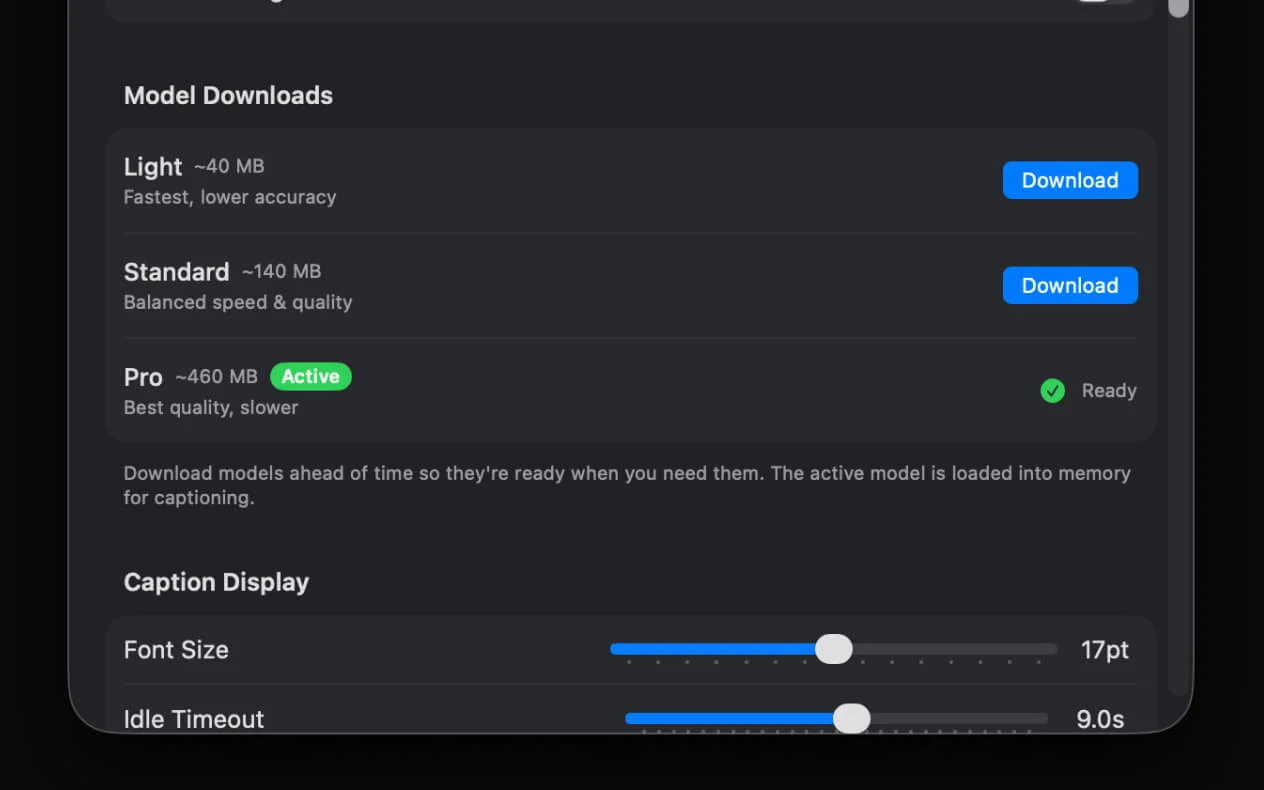
The trade-off is straightforward: bigger model = better accuracy but more CPU and memory usage. If you have an M1 or newer MacBook, Small and Medium are comfortable starting points. On older Intel Macs or base-model MacBook Airs, Tiny or Base is the safer choice.
A good rule of thumb: start with Small (the default). If you notice accents, technical jargon, or non-English speech being missed, step up to Medium, Large Turbo Compact, or Large Turbo. You can hot-swap models while captioning is running.
Free Mac Apps That Use Whisper AI
Several macOS apps have integrated Whisper for local speech-to-text. Here are the main options available for free:
1. NotchLive (free tier)
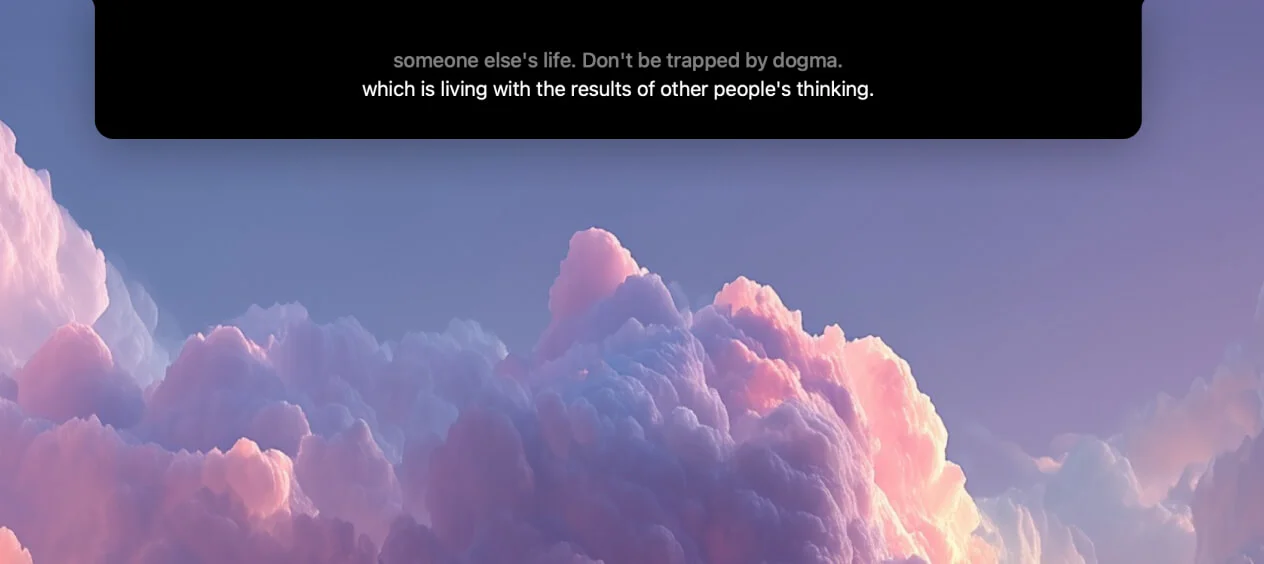
Whisper live captions for Mac. NotchLive captures system audio, microphone input, or both and transcribes supported speech live using Whisper. Captions appear near the top of the Mac workspace. The Pro tier adds translated speech in 20 languages, but captioning is free.
2. MacWhisper (free tier)
Transcribe audio files by drag-and-drop. Import a recording, podcast episode, or voice memo and MacWhisper generates a timestamped transcript. The free tier supports smaller Whisper models. It's not real-time — you give it a file and wait for the transcript.
3. Whisper Transcription (Mac App Store)
Similar to MacWhisper. A file-based transcription app available on the Mac App Store. Drop in audio or video files and get text back. Clean interface, but again — not real-time and not designed for live captions.
4. SuperWhisper (free tier)
Voice dictation that types into any app. SuperWhisper listens to your microphone and types what you say into whichever text field is active. Great for hands-free writing, but it's a dictation tool — it doesn't caption audio playing on your Mac or from other people in a call.
Key distinction: NotchLive is the only free Whisper-based app that provides real-time live captions of system audio. The others are designed for file transcription or voice dictation — different use cases entirely.
How to Get Free Speech-to-Text on Your Mac Right Now
Here's the fastest way to go from zero to live captions using NotchLive:
Download NotchLive from notchlive.app — it's a single .dmg file, under 15 MB.
Grant permissions. macOS will ask for Screen Recording (to capture system audio) and Microphone access. Both are required for live captions.
Download a Whisper model. On first launch, NotchLive prompts you to download a model. Small is the recommended default; Tiny and Base are faster options for low-power Macs.
Press ⌥⌘C (Option + Command + C). Live captions appear instantly in your MacBook's notch.
Play any audio, join any call, or speak into your mic. NotchLive captures both system audio and microphone input simultaneously — you'll see captions for everything.
That's it. Everything runs on your Mac. No account to create, no cloud service to configure, no subscription to manage. The entire setup takes under two minutes.
Whisper AI vs Apple's Built-in Speech Recognition
macOS has its own speech recognition, most notably Apple Live Captions (introduced in macOS Ventura). How does it compare to Whisper?
Feature
Whisper AI
Apple Live Captions
Source
Open-source (OpenAI)
Proprietary (SpeechAnalyzer)
Languages
99+
Expanding (English-focused)
Intel Mac support
Yes
Apple Silicon only
On-device privacy
Yes
Yes
Model improvements
Open-source community
Apple updates only
Translated speech
Via apps like NotchLive
No
Model size choice
Tiny to large
Fixed
Both Whisper and Apple's speech recognition run entirely on-device, so privacy is equal. The meaningful differences are language coverage and flexibility. Whisper supports 99+ languages out of the box and runs on Intel Macs too. Apple's system is tightly integrated with macOS but limited in language support and locked to Apple Silicon.
They're not mutually exclusive. NotchLive uses Whisper under the hood but can complement Apple's built-in captions. Some users keep Apple Live Captions as a system-level fallback while using NotchLive for meetings, lectures, and anything they want to translate or record.
Bottom line: Whisper AI gives your Mac free, private, and accurate speech-to-text in 99+ languages — no internet required after model download. The fastest way to try it is to download NotchLive, grab Small or a faster model, and press ⌥⌘C. You'll have live captions running in under two minutes.
If you want to keep useful moments after the live caption passes, see how to turn Mac audio into searchable speech-to-text notes.
Try free speech-to-text on your Mac
NotchLive uses on-device Whisper AI to caption any audio in real time. 100% private. No account. No subscription. Free forever — Pro $24.99 one-time.
 NotchLive