Sign Cues in NotchLive: ASL-inspired visual cues for live captions
Updated July 3, 2026 · 8 min read
NotchLive started as a private live caption app for Mac. Over time, the same question kept showing up in different forms: captions help you read words, but what about the tiny conversational signals around those words?
A meeting can move quickly. Someone asks a question, hands the conversation to another person, asks everyone to slow down, says “wait,” repeats a point, or calls your name. Captions capture the speech, but the visual structure of the moment can still be easy to miss.
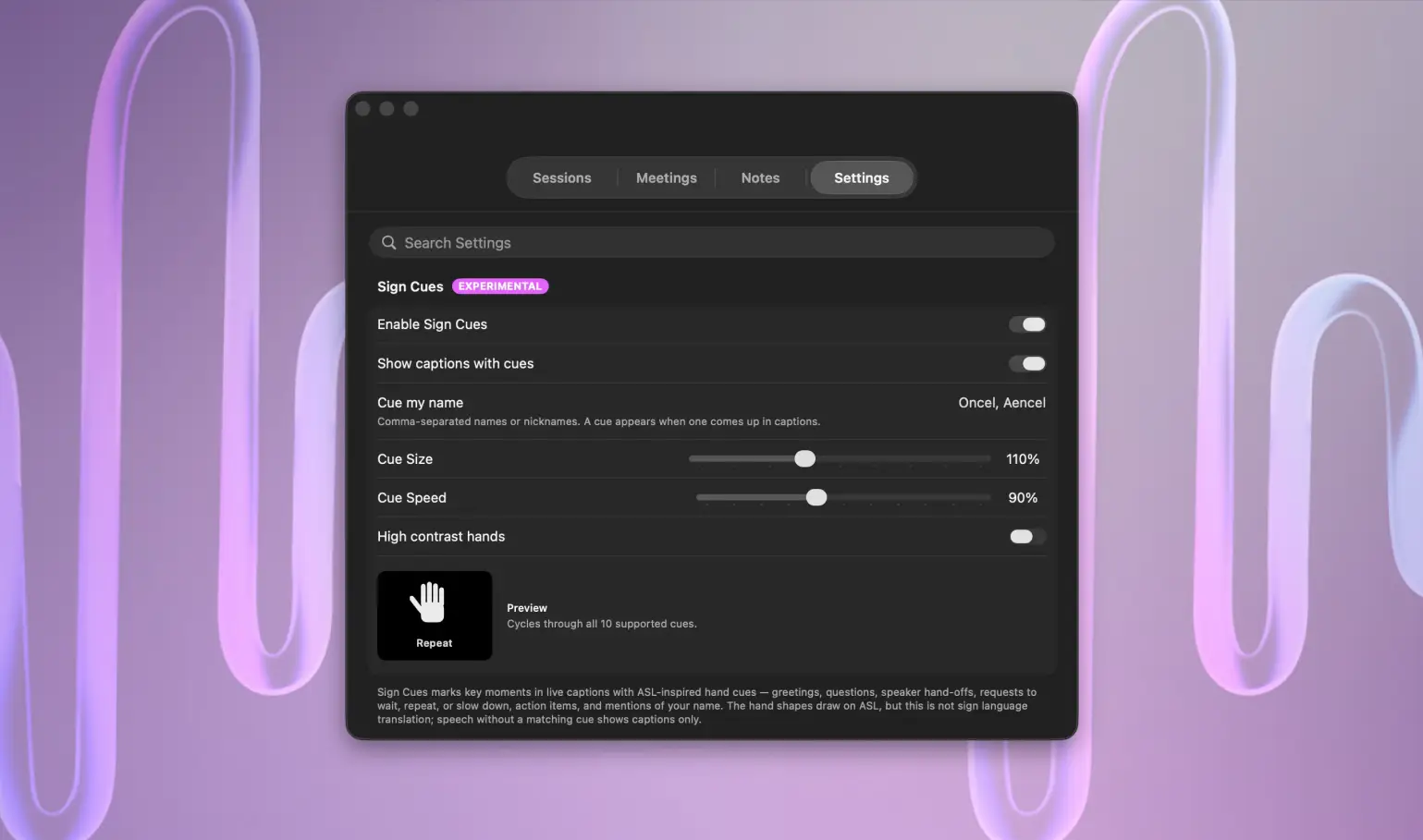
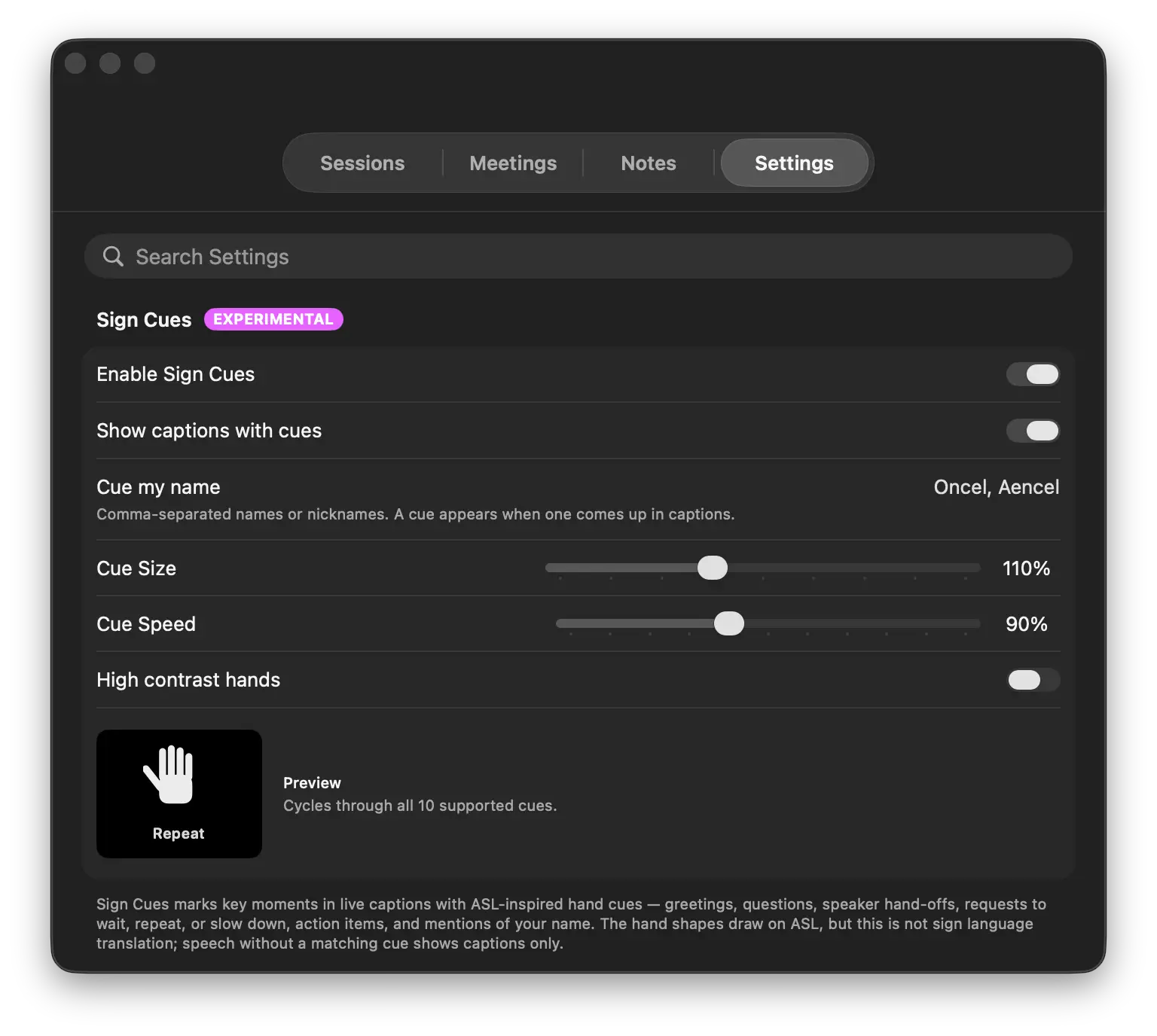
That is why NotchLive 1.7.0 adds experimental Sign Cues: small ASL-inspired visual cues that sit beside live captions for selected conversational moments.
Boundary first: Sign Cues are not ASL translation, not sign language interpretation, and not a replacement for captions, interpreters, or native sign language access. They are an optional visual layer for live caption context.
Why look toward ASL at all?
American Sign Language is not a set of gestures layered on top of English. It is a real language with its own grammar, culture, and community. The National Association of the Deaf describes ASL as a legitimate language and an important part of American Deaf culture.
That matters because software should not casually claim to “do ASL” just because it can draw a hand. If NotchLive ever supports deeper sign-language features, that work needs Deaf and ASL-fluent input, testing, and respect for the language itself.
The first version of Sign Cues is intentionally narrower. It borrows visual inspiration from a small set of recognizable communication moments and uses them as caption-adjacent cues, not as sentence translation.
What Sign Cues does today
Sign Cues watches finalized live captions for a small set of conversational patterns. When a phrase matches, NotchLive can show a compact hand cue for moments such as:
Greetings and acknowledgements.
Questions and requests for clarification.
Speaker hand-offs.
Requests to wait, repeat, or slow down.
Action items and next steps.
Mentions of your configured name.
If speech does not match one of those cue types, NotchLive simply shows captions. No cue is forced.
Sign Cues stay optional and configurable from NotchLive Settings.
What Sign Cues deliberately does not do
Sign Cues does not translate English sentences into ASL. It does not generate grammar, facial expression, body movement, classifier structure, or full sign-language interpretation. It also does not decide that a caption is “accessible enough” because a cue appeared.
W3C accessibility guidance notes that sign language can communicate meaning, emotion, and audio information that captions may not fully capture. That is exactly why NotchLive should be conservative here. A small cue can help orient attention, but it is not the same as language access.
Why this still belongs in NotchLive
NotchLive is becoming an accessibility-first Mac audio platform. Captions, translations, Ghost Mode, Meeting Intelligence, saved notes, and Sign Cues all point in the same direction: make spoken Mac audio easier to follow privately, with less friction and less UI noise.
Sign Cues fits that direction because it acknowledges that accessibility is not only about text output. Sometimes the missing thing is conversational shape: “this is a question,” “someone is asking to slow down,” “your name came up,” or “this sounds like an action item.”
Long-term direction
We are not promising full ASL features on a timeline. We are also not going to relabel a phrase matcher as sign language translation. The responsible path is slower:
Keep Sign Cues optional and clearly labeled as experimental.
Measure whether the cues genuinely help people follow live captions.
Get feedback from users who rely on captions and users who understand ASL.
Expand only where the product can stay respectful, useful, and accurate.
That is the bar for NotchLive: accessibility features that are practical today and honest about what they are not.
 NotchLive