How to Take AI Meeting Notes on Mac Without a Meeting Bot
Updated August 27, 2026 · 12 min read
Most AI meeting note takers work by joining your call. That can be convenient, but it is not always the right fit. Some meetings are sensitive. Some calls are informal. Some teams do not want another participant in the room. And sometimes you do not need a full meeting archive; you just need to follow the conversation, recover something you missed, and turn the useful parts into notes.
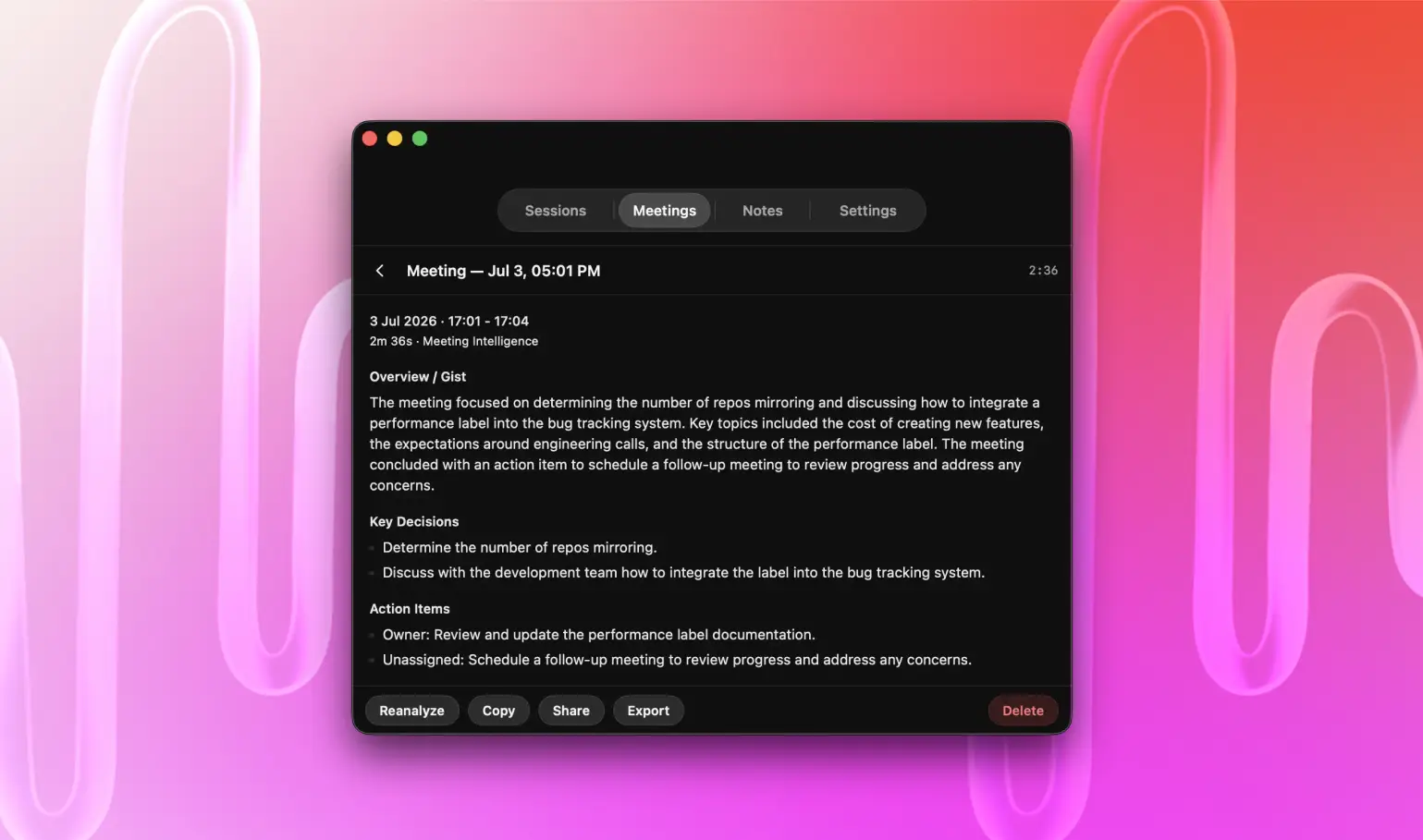
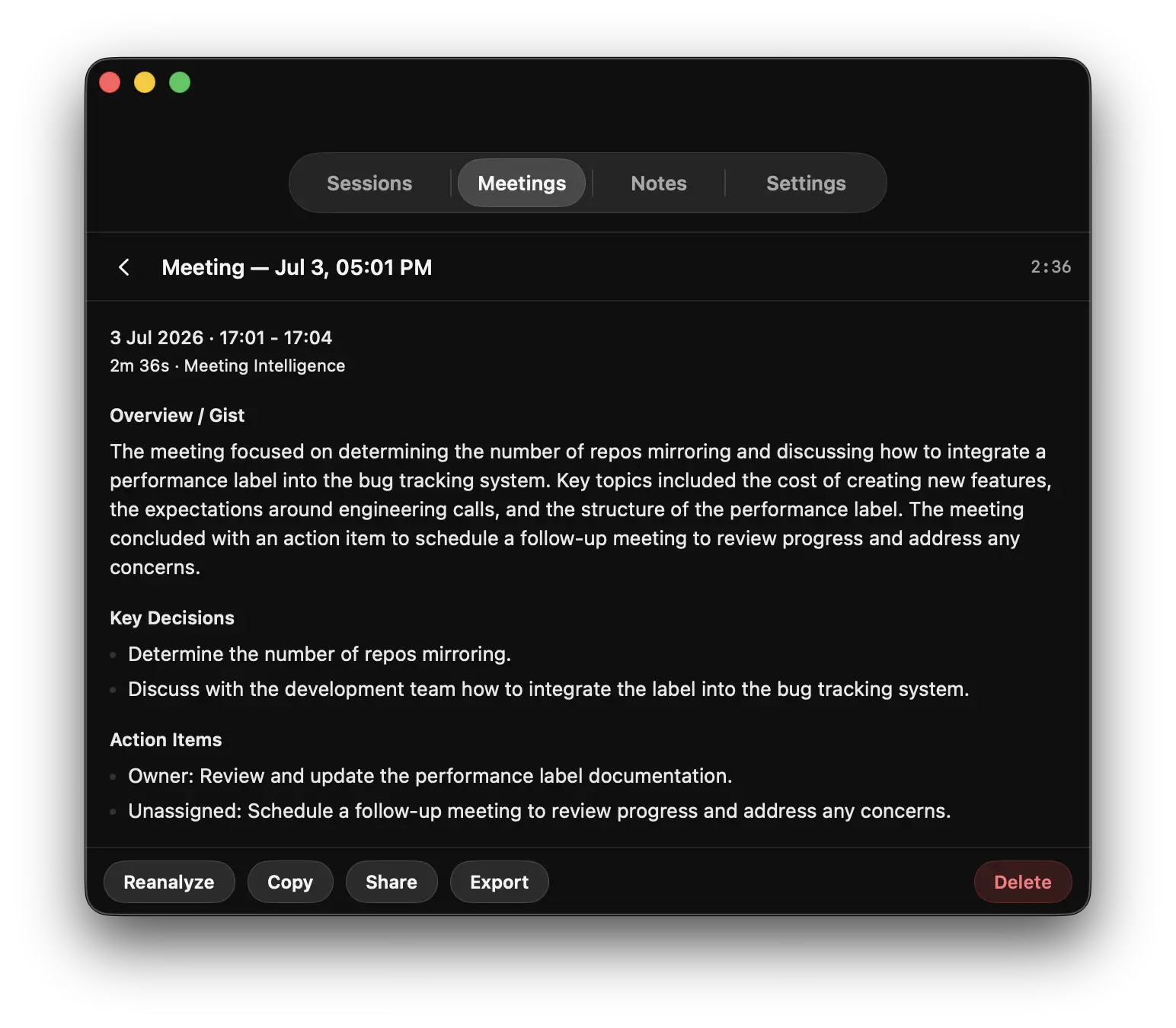
NotchLive takes a captions-first route. It runs on your Mac, captions the audio you already hear, and keeps Live Timeline available when you need to scroll, search, or copy recent context. Meeting Intelligence can turn those live captions into a private, language-aware brief with current focus, key points, open questions, action items, decisions, and key moments on supported Macs with Apple Intelligence. Record only when you want a retained transcript. No meeting bot. No calendar takeover. No extra attendee.
The transcript underneath those notes can also become a reviewed participant record. See meeting transcription software for Mac for local speaker labels, participant corrections, and the difference between Meeting Analytics and generated Meeting Intelligence.
Why meeting bots can feel too heavy
AI meeting assistants are built for shared meeting memory. They join calls, announce themselves, record, summarize, and organize notes for a team. That is powerful when everyone expects it. It can feel wrong when you only need private support: following a fast client call, reviewing a lecture, capturing your own next steps, or reading captions for accessibility.
A no-bot workflow keeps the tool on your side of the call. Other people do not need to install anything, change host settings, or accept another participant.
Live captions first, AI meeting notes second
NotchLive starts with live captions, not notes. That matters. Captions help during the meeting, while the conversation is happening. Notes come afterward or on demand.
The result is a different kind of AI meeting notes workflow: read the conversation live, recover context in Timeline, generate a private Meeting Intelligence summary when supported, and keep a transcript only when you deliberately record the session.
NotchLive 1.9.6 also lets a saved Meeting Intelligence brief follow the captured caption language, use the original spoken language, match the language you use for NotchLive, or use an available translated-caption language. Those versions are cached separately, while display, copy, share, and export stay aligned with the selected language. The update also improves Chinese scripts, CJK text, diacritics, and names while protecting a valid saved result from incomplete, stale, or cancelled work.
NotchLive versus a traditional AI meeting bot
Workflow
Typical AI notetaker
NotchLive
Joins the meeting
Usually yes
No
Main job
Shared meeting notes
Private captions first
Non-meeting audio
Usually limited
Mac audio and microphone
Accessibility during the call
Often secondary
Core use case
Live summary
Usually cloud assistant
Meeting Intelligence with Pro on supported Macs
Transcripts
Usually cloud workspace
Local-first session workflow
Finished notes
Usually stay in the meeting workspace
Can move into NotchPad
How the private Mac notes workflow works
Start captions before or during the call.
Choose system audio, microphone, or both.
Read live captions while the conversation happens.
Open Timeline to scroll, search, copy, or export the current live context while new captions keep arriving.
Open Meeting Intelligence when you want a live private brief with key points, questions, actions, and moments.
Record the session only when you need a transcript retained after the live run.
Copy or share the summary, export the transcript, or use Voice Notes for focused speech-to-text notes.
Send the useful parts to NotchPad when the note deserves a permanent home.
Meeting Intelligence saves private summaries with reanalyze, copy, share, and export controls.
From live speech to NotchPad
Meeting notes rarely end at transcription. A transcript is raw material: useful, but often too long to revisit. NotchLive handles the live speech layer: captions, Meeting Intelligence summaries, optional transcripts, and voice notes. NotchPad is where the cleaned-up note can live afterward: decisions, follow-ups, client context, lecture takeaways, or ideas you want to return to later.
That makes the workflow different from a typical meeting bot. The meeting does not need another attendee, and the final note does not need to stay trapped in a meeting recorder. You can capture privately, then keep only what is worth keeping. For the transcript-specific workflow, see private meeting transcription without a bot.
Where this works best
Client calls where you need private recall without inviting a bot.
Accessibility support for fast meetings or noisy audio.
Lectures, webinars, and courses where you want captions now and notes later.
Research or sales calls where consent and data handling need care.
Personal follow-up notes after a meeting, demo, or review.
Ideas and decisions that should move into NotchPad instead of staying in a raw transcript.
NotchLive is not a regulated compliance archive, legal recorder, or substitute for your consent process. It also is not trying to replace every shared AI meeting workspace. If your team wants automatic shared summaries across every calendar event, organization-wide meeting memory, CRM follow-up, or cross-meeting team chat, a meeting assistant may be the better fit. If you want private Mac captions, Meeting Intelligence, optional transcripts, and notes that can move into NotchPad without adding a bot, NotchLive is built for that lane.
Frequently asked questions
Does NotchLive join my meeting?
No. NotchLive runs on your Mac and captions the audio available to your computer. It does not join as a meeting participant.
Can I use NotchLive as an AI note taker?
You can use NotchLive to create private meeting notes, but its workflow is different from a traditional AI notetaker. It starts with live captions and local speech-to-text. Meeting Intelligence can summarize captions on supported Macs with Apple Intelligence, while notes and transcripts remain optional outputs. The useful parts can move into NotchPad for longer-term writing and recall.
Do I still need consent to record or save transcripts?
You should follow the laws, policies, and expectations that apply to your meeting. NotchLive can help you caption and save speech on your Mac, but it does not replace your consent process.
Try private meeting notes without a bot
Use NotchLive for captions, Meeting Intelligence summaries, transcripts, and notes. Keep the useful parts in NotchPad.
 NotchLive