 NotchLive
Start from the field that matters
Place the cursor in Mail, Messages, Slack, a browser, a document, or another standard Mac text field, then hold your shortcut.
Hold a shortcut, speak naturally, and release. NotchLive inserts the finished text into the Mac app where you started, with recognition handled locally after model download.
Dictation requires Pro · $24.99 once · macOS 14 or later
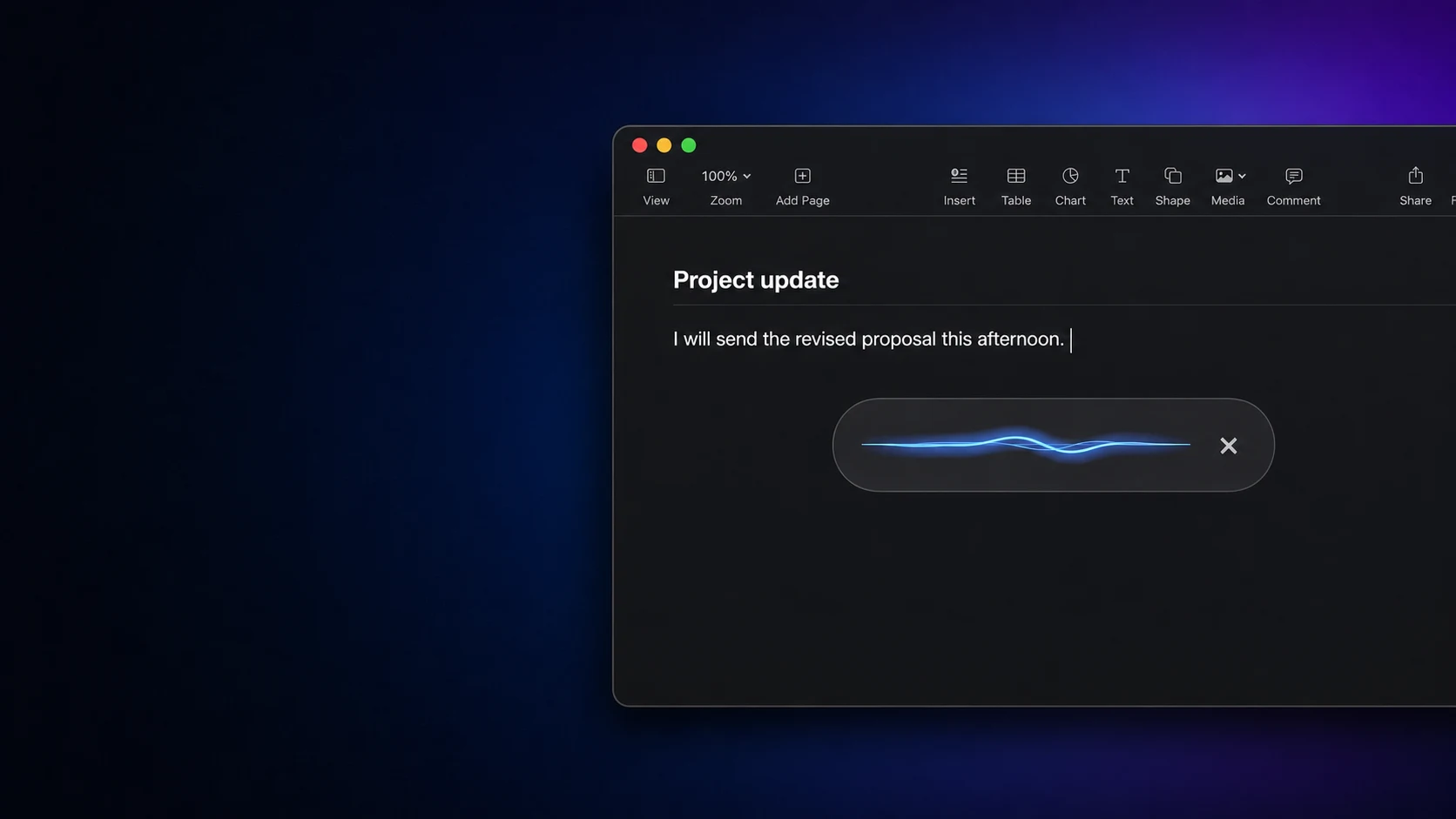
NotchLive remembers the field where you began. The bar confirms that it is listening, then gets out of the way after insertion.
Place the cursor in Mail, Messages, Slack, a browser, a document, or another standard Mac text field, then hold your shortcut.
NotchLive uses the same explicit language or Auto setting as microphone captions, so one language choice stays consistent across the app.
The final transcript is normalized for insertion, including sensible spacing around surrounding text. Secure fields remain off limits.
Personal Dictionary keeps two ideas separate. Preferred spellings are short vocabulary hints for the speech model. Replacements are deterministic local edits applied after transcription.
| Preferred spelling | Bias recognition toward names and terms such as NotchLive. |
|---|---|
| Replacement | Turn an exact spoken result into the exact written form you choose. |
| Storage | Keep dictionary entries and dictation history locally on your Mac. |
| Translation | Apply replacements before Translated Dictation begins. |
NotchLive does not reserve a global shortcut or request Accessibility access for Dictation until a Pro user turns the feature on.
Turning Dictation off, losing Pro entitlement, or quitting the app unregisters its shortcuts.
The release focuses on fast local transcription, punctuation, insertion, spellings, and exact replacements.
It does not pretend to remember your whole document or silently rewrite your tone.
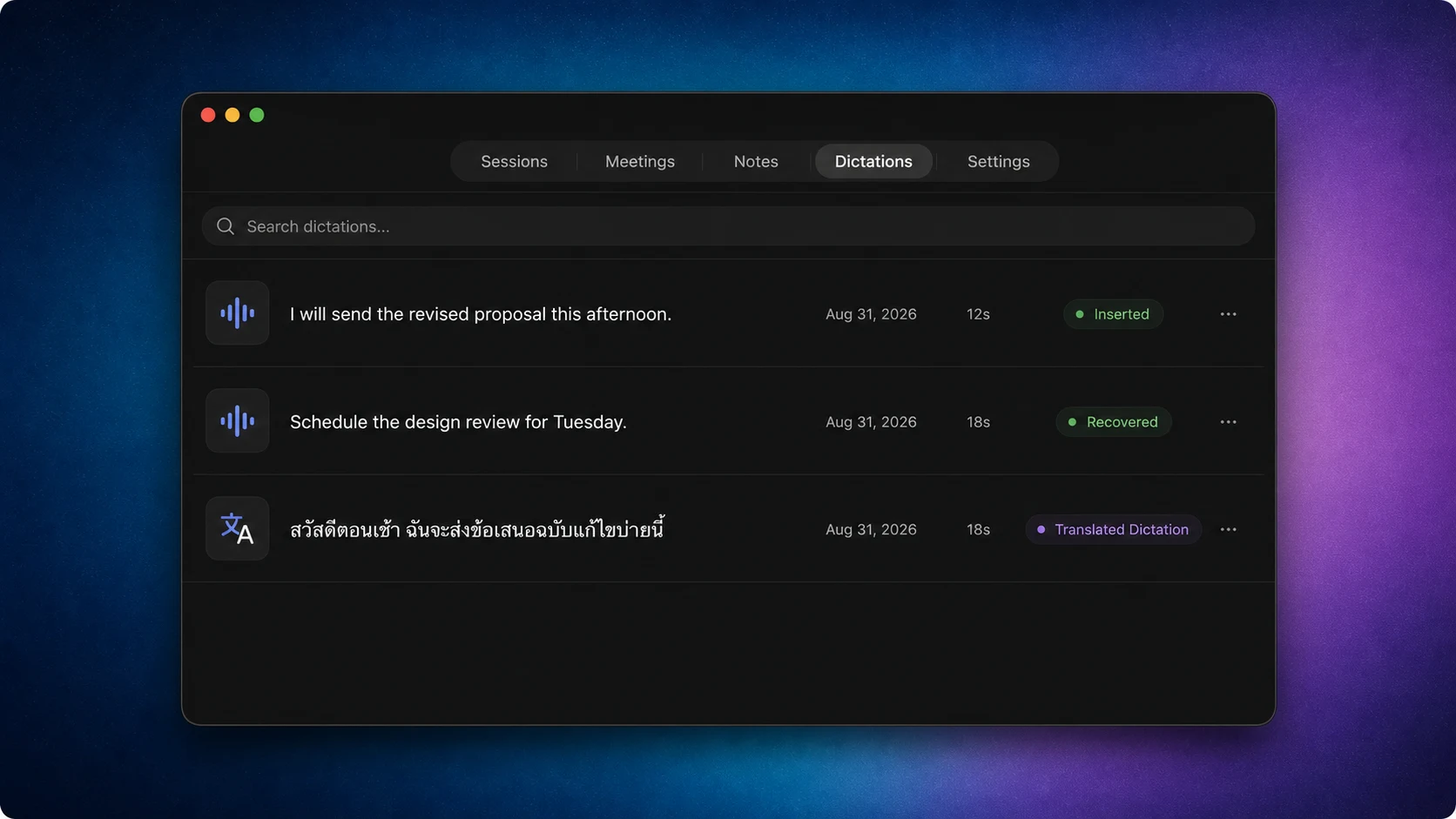
Completed dictations are available in the Dictations tab, including text that could not be inserted into the original field.
Copy the result when an app exposes an unusual or inaccessible editor.
Use the microphone when you want to write. Use app audio when you want to read. NotchLive also provides private live captions, translated speech, saved sessions, Voice Notes, and Meeting Intelligence.
Yes. After the selected speech model is downloaded, recognition runs on your Mac. NotchLive does not send your audio to a NotchLive transcription service.
It works in standard usable text fields exposed through macOS Accessibility. Secure fields, unusual custom editors, and fields an app does not expose can reject insertion; the completed text remains available in local Dictation history.
Up to 20 minutes. NotchLive warns at 19 minutes and inserts the completed text when the limit is reached.
Yes. Hold to Dictate and Hold to Translate are configurable in Settings after Dictation is enabled.
Yes. Dictation uses the microphone language setting, including Auto. Recognition quality and punctuation vary by language, accent, model, microphone, and room.
Dictation is included in NotchLive Pro, a $24.99 one-time purchase. Live captions remain free.
Start with free live captions. Upgrade once when you want Dictation, Translated Dictation, saved sessions, Voice Notes, exports, and Meeting Intelligence.