 NotchLive
Choose the source once
Your microphone language is the default source for Dictation, Voice Notes, and microphone captions.
Hold the translation shortcut, speak in your microphone language, and release. NotchLive recognizes the speech locally, translates the finished thought, and inserts it into the field where you began.
Requires NotchLive Pro and macOS 15 or later · Apple Translation language support varies
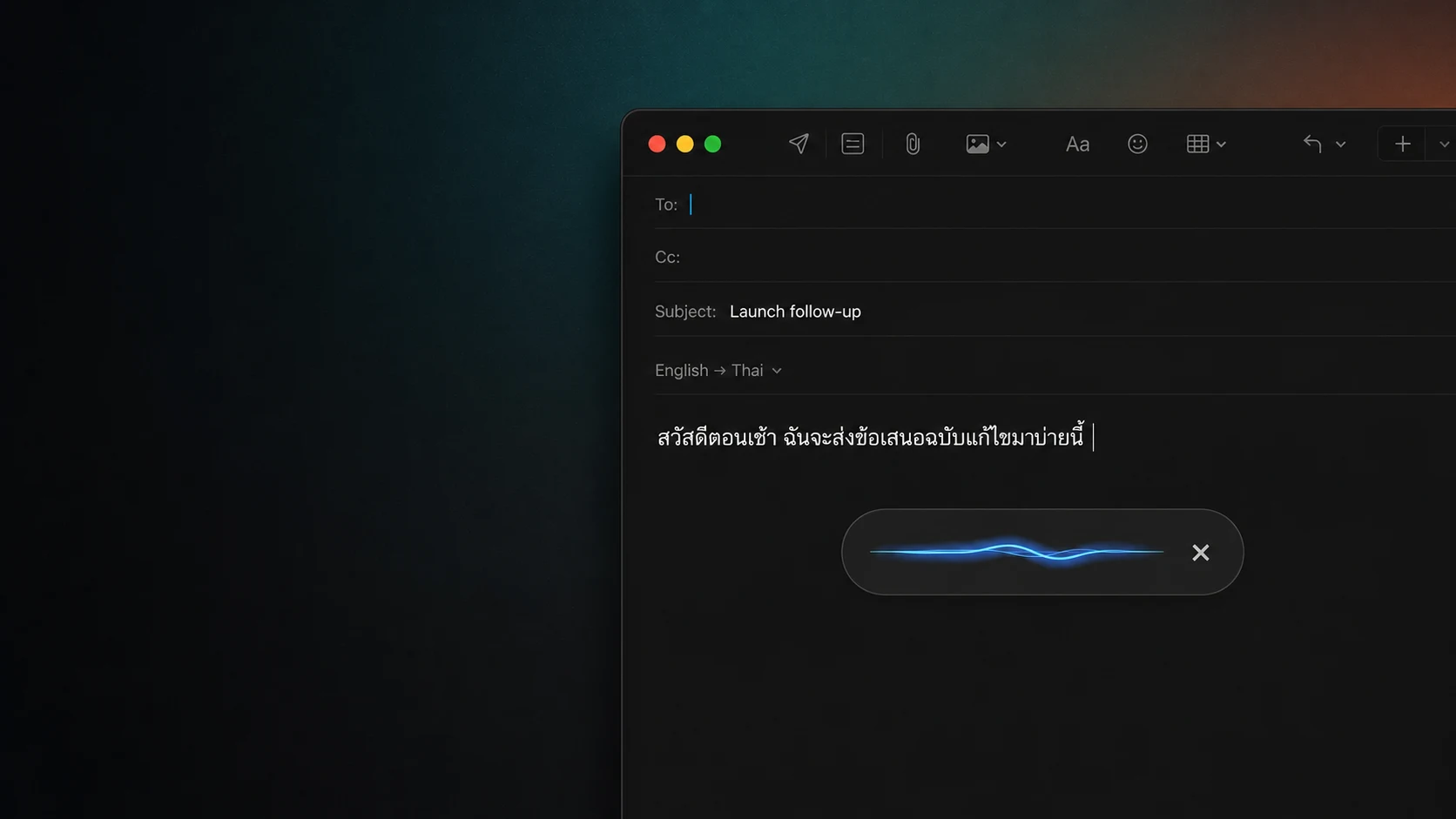
This is not a second dictation engine. It uses the same microphone-language bridge, then translates the finalized result before insertion.
Your microphone language is the default source for Dictation, Voice Notes, and microphone captions.
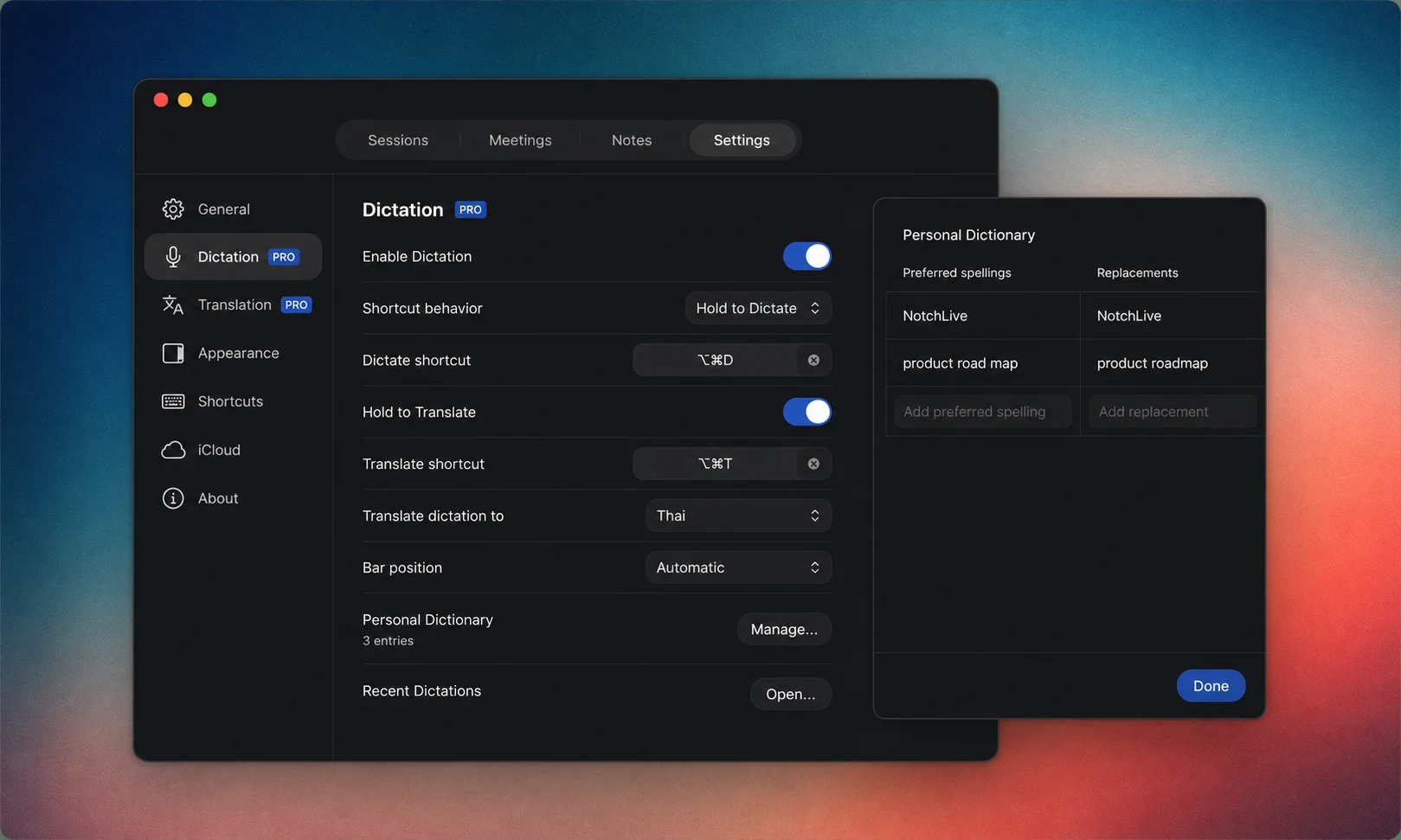
Translated Dictation has its own target-language setting, so your caption preferences do not have to change.
NotchLive shows whether the selected translation pair is ready. Unsupported or unavailable language resources are surfaced before you depend on them.
Translated Dictation writes what you say into a text field. Translated speech helps you read calls, videos, lectures, and microphone speech while they are happening.
| Surface | Input | Result |
|---|---|---|
| Translated Dictation | Your microphone | Translated text inserted into the focused field |
| Live Translation | App audio, microphone, or both | Translated speech you can read as speech continues |
Say the answer in the language you are most comfortable speaking.
Insert the target-language result directly into Mail, Messages, Slack, or a browser editor.
Prepare short local-language messages without bouncing between a dictation app and a translation website.
Review names, dates, and formal wording before sending.
Use one microphone-language setting across NotchLive and a separate target for translated writing.
Personal Dictionary replacements are applied before translation.
No. The source follows your NotchLive microphone language or Auto setting, and the target can be another supported language. Translated Dictation requires macOS 15 or later, and availability depends on Apple Translation language support.
No. Kōkako is designed for microphone captioning scenarios where Mac playback can leak into the microphone. Dictation records your microphone directly and does not need that heavier echo-cancellation path.
NotchLive shows the selected pair as unavailable rather than silently pretending translation is ready. Install the required Apple language resources or choose a supported target.
No. Dictation recognition remains fast while you speak, then the finalized thought is translated after you release. For speech you are listening to, use Live Translation.
Translated Dictation is included with NotchLive Pro alongside private Mac dictation, translated speech, saved sessions, Voice Notes, and exports.