 NotchLive
Private Meeting Intelligence for Mac
Meeting intelligence in your language. On your Mac.
Turn live or saved captions into a private brief you can follow during the meeting and a structured summary you can keep afterward. No meeting bot and no NotchLive cloud workspace.
Live and saved briefs · Multilingual summaries · Reviewed transcripts
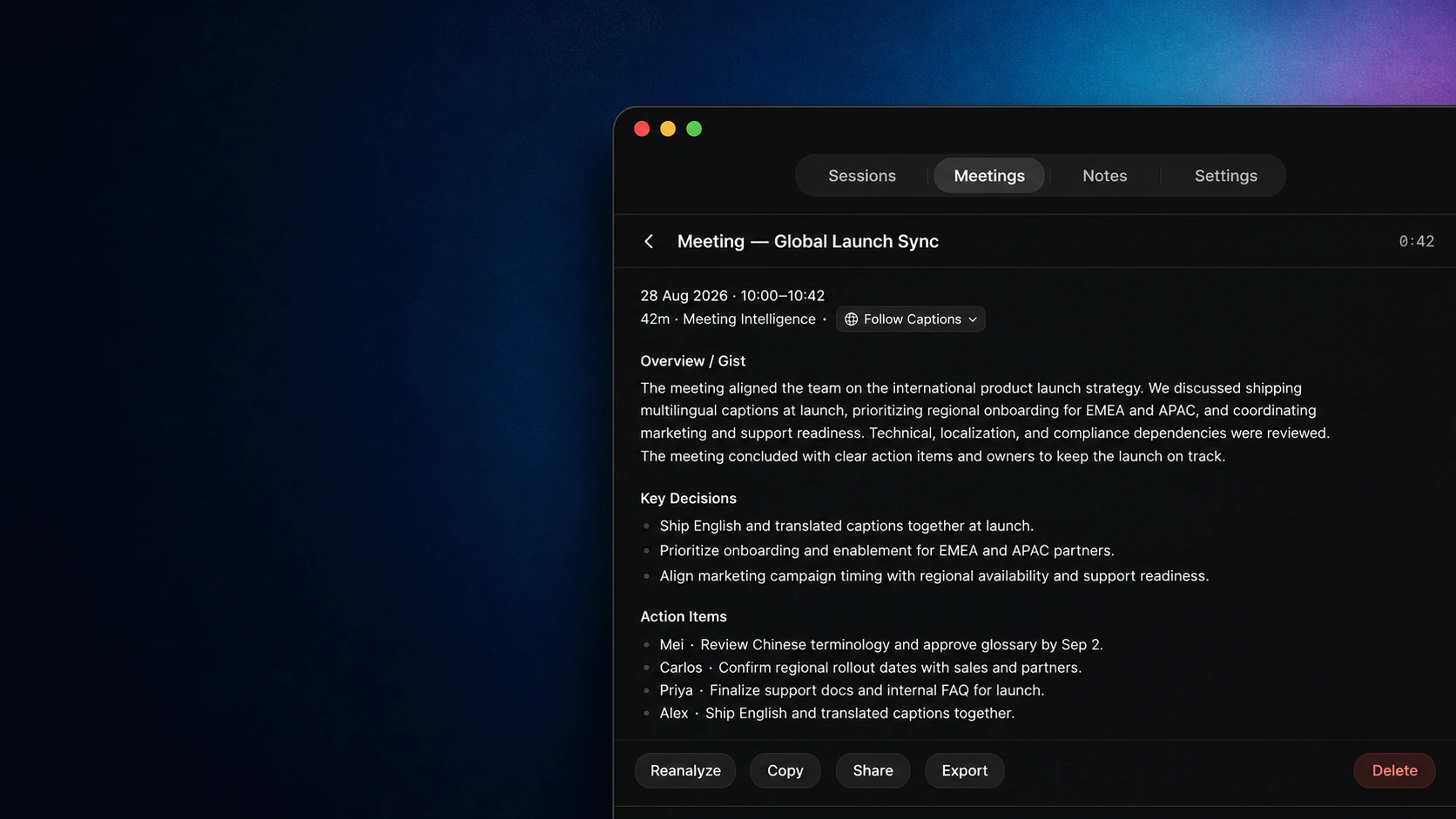
Language controls
One meeting. In the language you need.
Follow the language shown in captions, return to the original speech, use your NotchLive app language, or choose an available translation. Switch languages without losing analysis you already generated.
Original
Generate the meeting brief in the original spoken language.App Language
Read the brief in the language you use for NotchLive.Translation
Use an available translated-caption language for the saved analysis.
From captions to outcomes
Understand the meeting while it is happening. Keep the outcome afterward.
Live Meeting Intelligence follows finalized captions as they arrive. Saved Meeting Intelligence works from the retained session, including participant corrections you make before reanalysis.
During the meeting
Follow the current focus, key points, questions, actions, and key moments without opening a separate meeting workspace.
After the meeting
Keep a structured summary with topics, entities, decisions, and the participant context attached to the saved record.
When the record changes
Correct participant names or transcript turns, then reanalyze so the brief reflects the record you reviewed.
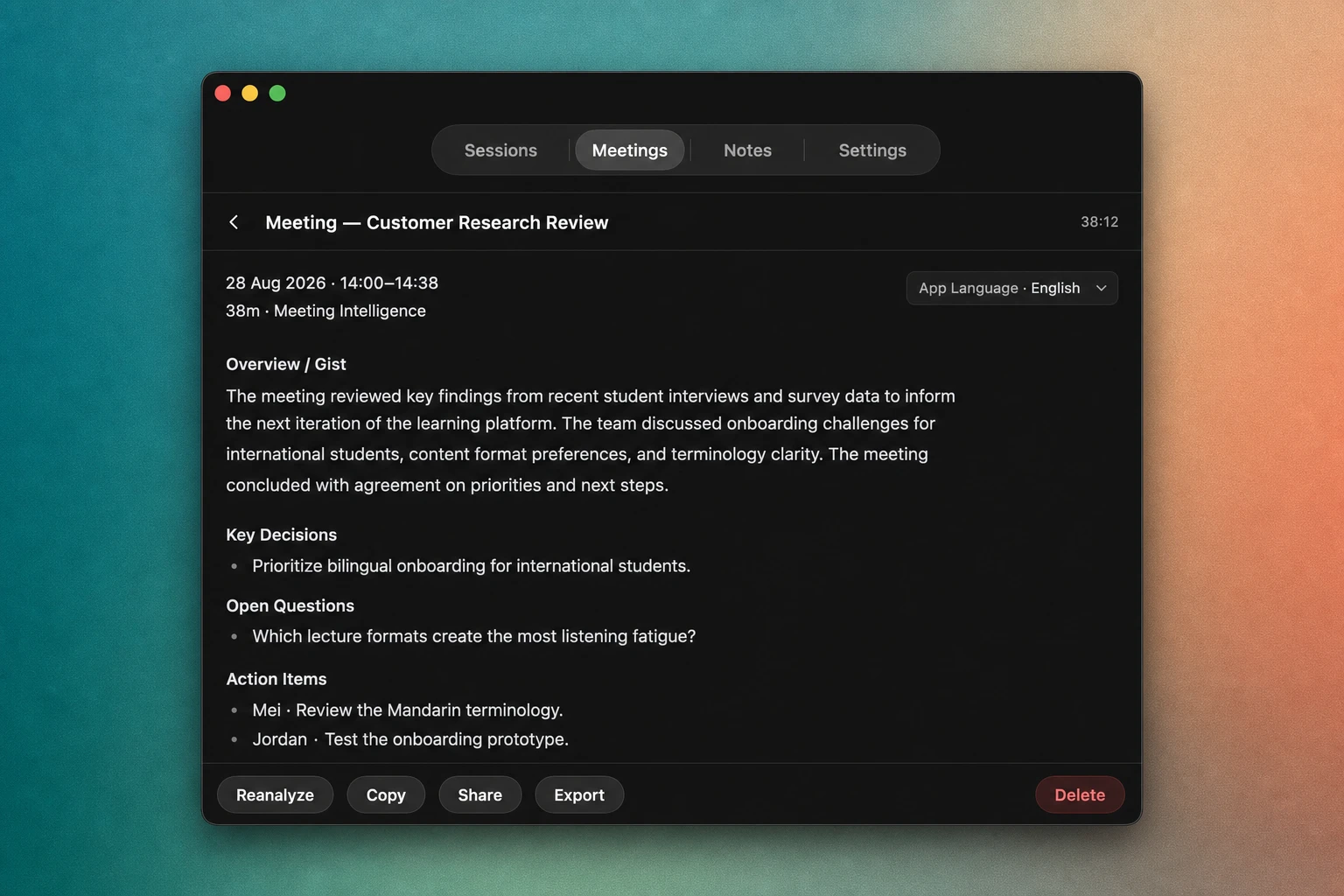
Built to preserve useful work
Your last good brief stays safe while NotchLive updates it.
NotchLive can preserve useful partial results, continue after interruptions, and replace a saved brief only when the new analysis is ready.
Preserves useful work
If one part cannot be completed, NotchLive keeps useful results instead of discarding the whole brief.
Updates only when ready
A refreshed brief replaces the previous version only after the new analysis is complete.
Continues after interruptions
Pause the analysis and continue later without throwing away useful work already generated.
A private working record

No bot joins. No NotchLive meeting cloud is created.
NotchLive captions audio already playing on your Mac. Meeting Intelligence works today with Apple Intelligence on supported Macs, while transcripts, participant review, analytics, and saved meetings remain part of the local NotchLive workflow.
NotchLive never uses customer meetings or personal work to train or evaluate its models.
Review before reuse
Keep the transcript. Review the brief.
Meeting Intelligence helps you find what matters, but generated summaries can miss context. Review the transcript, correct participant attribution, and regenerate the brief when the underlying record changes.
Reviewed meeting record
- EvidenceRaw and Clean transcript views, participant corrections, timestamps, and Meeting Analytics.
- ControlRename, merge, reassign, split, remove, or leave uncertain speech unresolved.
Generated meeting brief
- InterpretationFocus, key points, questions, actions, entities, decisions, topics, and summaries.
- RefreshReanalyze after participant or transcript corrections so the brief follows the record you trust.
In development
Another fully on-device option is coming.
NotchLive is building a meeting-specific model on IBM Granite. It will run entirely on the Mac and sit alongside Apple Intelligence as a selectable alternative—including for people whose Macs do not support Apple Intelligence or who prefer another local model.
NotchLive uses curated historical public meeting records for post-training and evaluation. Customer meetings are never training data.
Meeting Intelligence FAQ
What does NotchLive Meeting Intelligence create?
Meeting Intelligence can generate current focus, key points, open questions, action items, entities, decisions, topics, and a meeting summary from live or saved captions.
Does NotchLive join the meeting as a bot?
No. NotchLive captions audio already playing on your Mac and does not join the participant list or create a NotchLive cloud meeting workspace.
Can Meeting Intelligence generate a summary in another language?
Yes. Saved analysis can follow the caption language, use the original language, use the NotchLive app language, or use an available translated-caption language. Switching languages does not erase analysis you already generated.
Does Meeting Intelligence require Apple Intelligence?
Meeting Intelligence currently requires a Mac with Apple Intelligence enabled. A separate fully on-device NotchLive model is in development as an optional alternative.
Does NotchLive use customer meetings to train its model?
No. NotchLive never uses customer meetings, personal notes, corrections, exports, or MCP activity to train or evaluate its models.
Turn the meeting into something you can use.
Start with free live captions. Upgrade once for Meeting Intelligence, translation, saved meetings, participant review, analytics, exports, Voice Notes, and local MCP access.