 NotchLive
Follow every sentence
Keep Focus view on the current line, or search Timeline without stopping new captions.
NotchLive captions the conversation live, separates remote speakers on your Mac, and gives you a review workspace to fix names, turns, and transcript noise before analytics, notes, or exports use the result.
No meeting bot · No cloud transcription workspace · No account required
NotchLive starts as a live caption app, so the transcript helps while people are still speaking. When the meeting ends, the same timeline becomes a reviewable record with local speaker labels, participant corrections, analytics, notes, and exports.
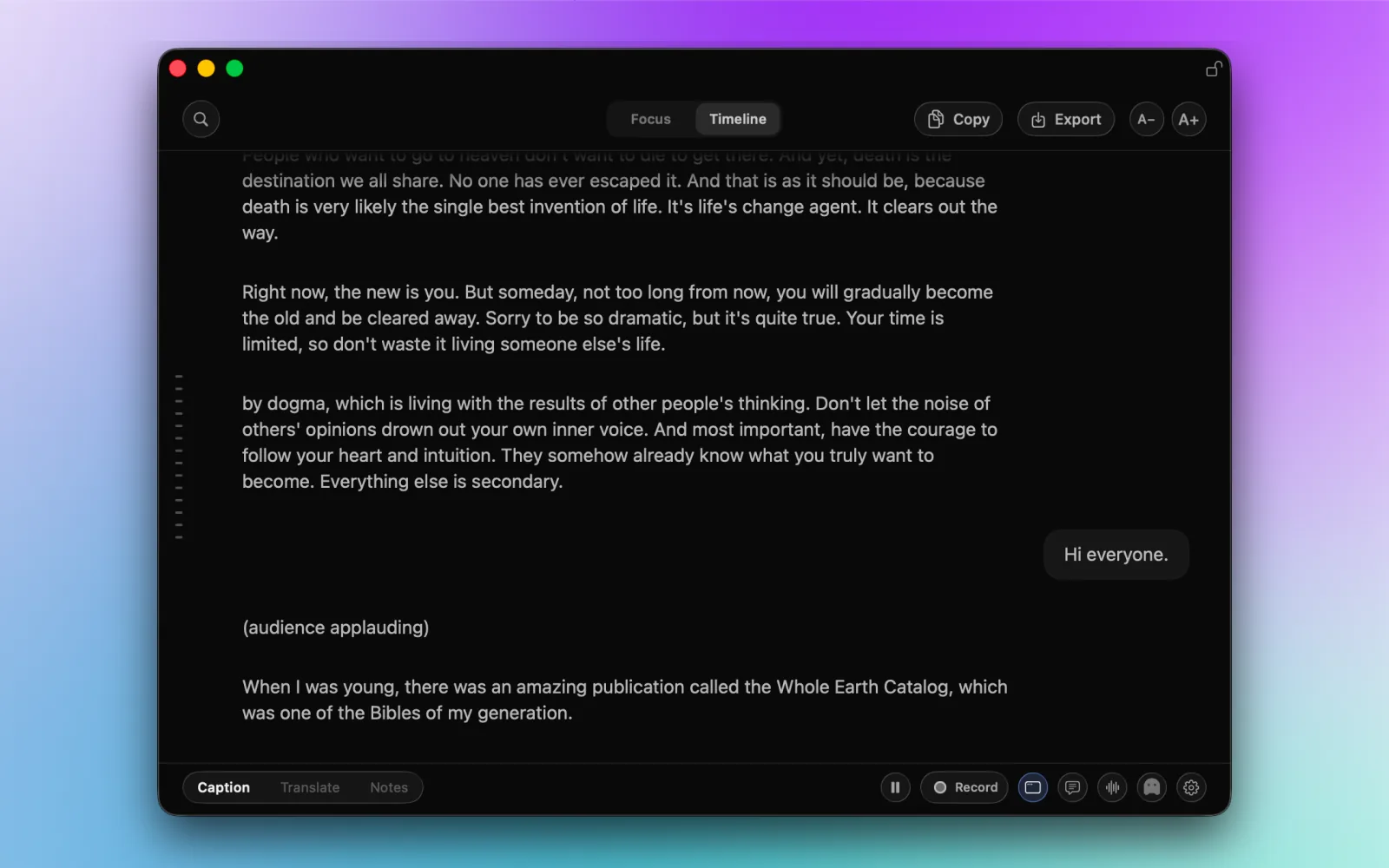
Keep Focus view on the current line, or search Timeline without stopping new captions.
Name participants, fix mixed turns, merge duplicate labels, and leave uncertain speech visibly unresolved.
Copy, export, measure, or generate notes from the reviewed transcript instead of the first machine pass.
Automatic speaker labels are a useful first pass, not a final identity claim. NotchLive keeps the uncertain parts editable and makes every correction reversible.
Replace Speaker 1 with the right name for this meeting, or accept a useful suggestion.
Combine duplicate labels when one participant was split into several anonymous clusters.
Reassign a full utterance, add a participant, or keep it marked unknown when the evidence is weak.
Select the words spoken by another person and move only that part to the correct participant.
Hide an irrelevant caption from the Clean transcript while the captured Raw version remains available.
Reverse the latest correction and regenerate clean output so old names do not survive by accident.
NotchLive preserves the captured transcript as Raw and builds a Clean version around your corrections. You can improve what people read without losing the source you may need to inspect later.
Return to the wording and turns retained by the speech-recognition pipeline.
Read, copy, and export a clearer view while Raw remains available for comparison.
Use confirmed participants and corrected turns for analytics, notes, copy, and export.
On Apple silicon, NotchLive keeps your microphone and app audio in separate lanes. Your microphone stays labeled You. SpeakerKit groups remote voices into anonymous, meeting-local participants, then NotchLive aligns those labels with the locally transcribed timeline.
See how local speaker diarization works, including voice embeddings, clustering, final review, and the limits of automatic labels.
Stays assigned to You instead of becoming another anonymous voice.
Becomes meeting-local speaker labels through SpeakerKit on your Mac.
Become the speaker names used by analytics, notes, copy, and exports.
A one-to-one call should not be treated like a ten-person meeting. NotchLive lets you give the local speaker model simple context before it starts guessing.
Let SpeakerKit estimate the number of remote voices when you do not know who will join.
Tell NotchLive there is one remote voice so a single person is less likely to fragment into several labels.
Enter the total number of people, including yourself, so the final pass can use the expected remote count.
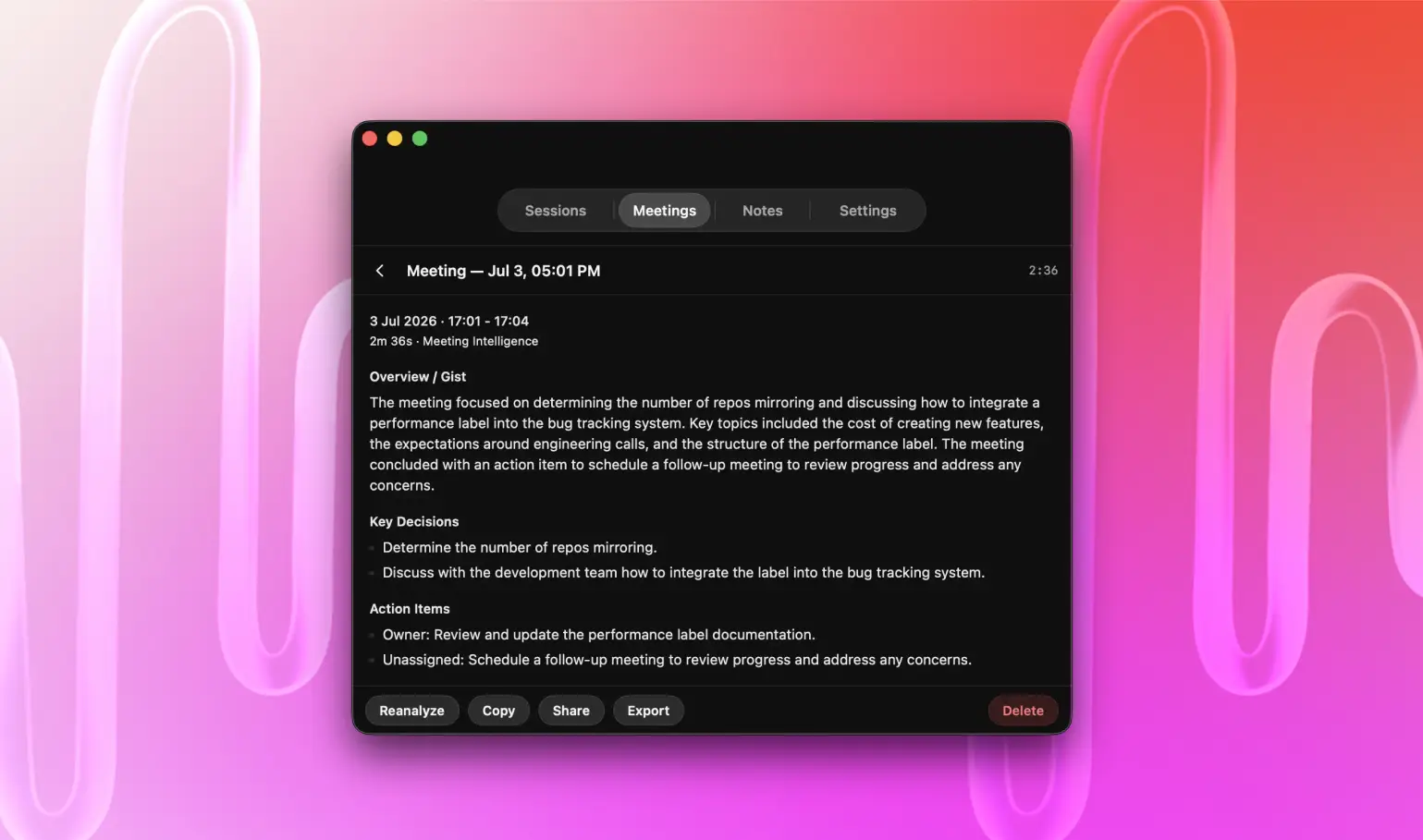
Your reviewed transcript powers two useful layers. Meeting Analytics shows what happened in the conversation. Meeting Intelligence turns that record into decisions, questions, actions, topics, and a language-aware summary on supported Macs.
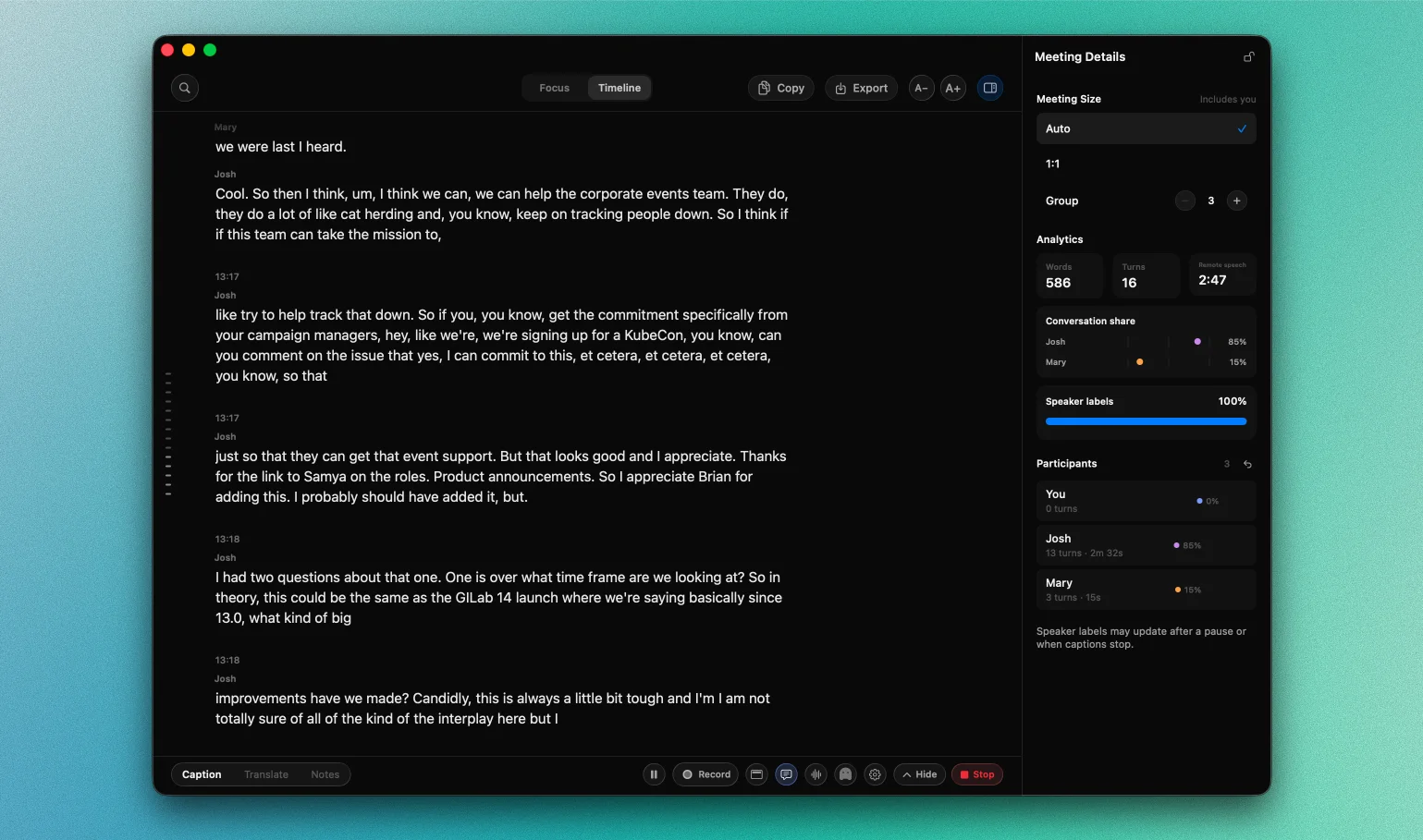
Speech recognition, remote-speaker attribution, participant corrections, and Meeting Analytics run on your Mac. NotchLive does not create a cloud meeting workspace. Customer audio, captions, transcripts, participant names, notes, summaries, corrections, Voice Notes, and MCP requests are excluded from NotchLive model training and evaluation.
Automatic labels are anonymous and meeting-local. NotchLive does not silently build persistent voiceprints or recognize the same person across meetings. Voice centroids used to keep labels stable are held in memory for the active run and discarded with it.
NotchLive keeps saved sessions and Voice Notes inspectable. Pro users can export transcript formats for everyday work and explicitly connect supported local AI clients through read-only MCP. Settings can also create a versioned data bundle for backup or transfer.
NotchLive works with capturable Mac app audio, so the meeting platform does not need a NotchLive integration or an invited bot.
Already have the recording? Use the Mac audio and video transcription app to import the file directly, or follow the recorded-file transcription guide.
NotchLive 1.9 adds local remote-speaker attribution on Apple silicon, Auto/1:1/Group meeting context, participant review, Meeting Analytics, Raw and Clean transcript views, transcript cleanup controls, portable data bundles, and opt-in read-only local MCP access.
NotchLive is built for Mac users who want private live captions, local transcription, meeting-local speaker labels, participant review, and conversation analytics without inviting a meeting bot or uploading audio to a NotchLive transcription service.
Speaker diarization is the process of determining who spoke when. It separates speech into anonymous speaker clusters and aligns those clusters with transcript words. It does not automatically know a person's real name.
On Apple silicon, NotchLive can separate remote voices into anonymous, meeting-local speaker labels while microphone speech remains assigned to You. You can review and name participants before relying on the final transcript or analytics.
Yes. In a recorded session, you can rename participants, merge duplicate labels, reassign an utterance, mark speech as unknown, create a new participant, split an utterance at word boundaries, and undo the latest edit.
Yes. NotchLive captions capturable app audio from Zoom, Google Meet, Microsoft Teams, and other Mac apps. It runs as a Mac app and does not join the participant list.
Yes. NotchLive uses local WhisperKit speech recognition and bundles the selected SpeakerKit models used for remote-speaker attribution on Apple silicon. NotchLive does not upload meeting audio to a cloud transcription service.
Meeting Analytics calculates words, turns, valid-timing speech, conversation share, and speaker-label coverage from the transcript. Meeting Intelligence is the optional Apple Intelligence layer that generates focus, key points, questions, actions, and summaries on supported Macs.
Automatic remote-speaker attribution requires an Apple silicon Mac. Live captions continue to work on supported Intel Macs without automatic remote-speaker separation.
Yes, after you configure NotchLive's local read-only MCP server and enable AI Connections. Supported clients can search saved meetings, read reviewed transcripts, Meeting Analytics, and Voice Notes. A separate off-by-default setting can expose the active Timeline. NotchLive exposes no mutation or network tools through MCP.
Download NotchLive for free live captions and automatic speaker labels on Apple silicon. Upgrade to Pro when you need Meeting Analytics, participant review, saved sessions, exports, translation, Voice Notes, or Meeting Intelligence.