 NotchLive
Read it now
Live captions and the searchable Timeline help you catch up before the conversation moves on.
Get live captions, searchable transcripts, translation, and AI meeting notes directly on your Mac. NotchLive never joins the call, needs no calendar access, and costs $24.99 once for Pro.
Free live captions · Local WhisperKit recognition · No account · Pro is $24.99 once
NotchLive captions audio from the Mac apps you already use. Open it when you want help following a conversation; nothing is invited, announced, or added to the participant list.
| Open | Start captions yourself instead of connecting a calendar or setting an auto-join rule. |
|---|---|
| Caption | Use Mac app audio, microphone speech, or both. |
| Search | Recover something you missed while the conversation continues. |
| Save | Keep a transcript or summary when you actually need one. |
An Otter alternative should help during the conversation as well as after it. NotchLive lets you read speech live, recover missed context, and create notes when the meeting is worth keeping.
Live captions and the searchable Timeline help you catch up before the conversation moves on.
Caption calls, webinars, browser videos, podcasts, lectures, and in-person speech with the same Mac app.
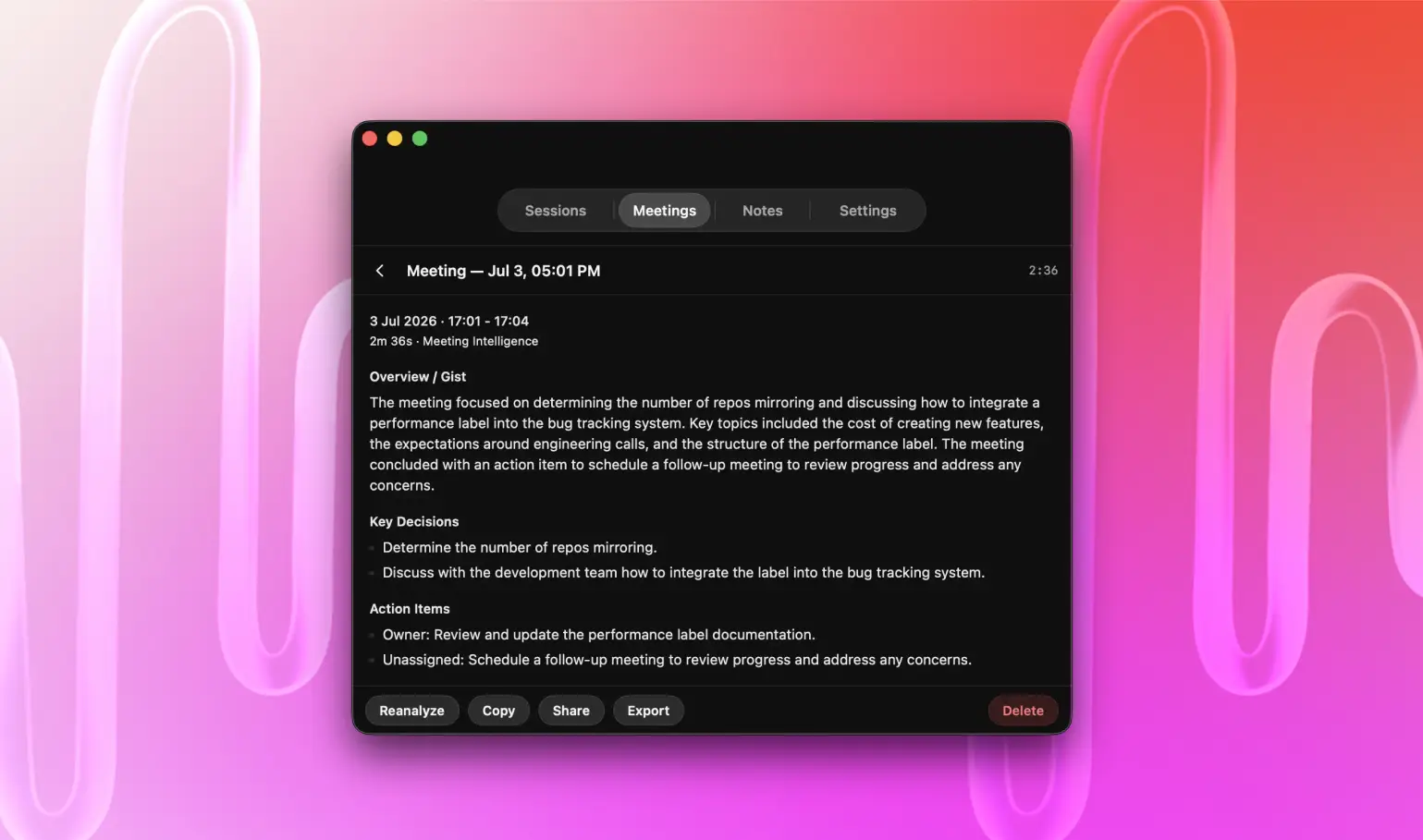
On supported Macs, Meeting Intelligence extracts topics, decisions, action items, entities, and a summary.
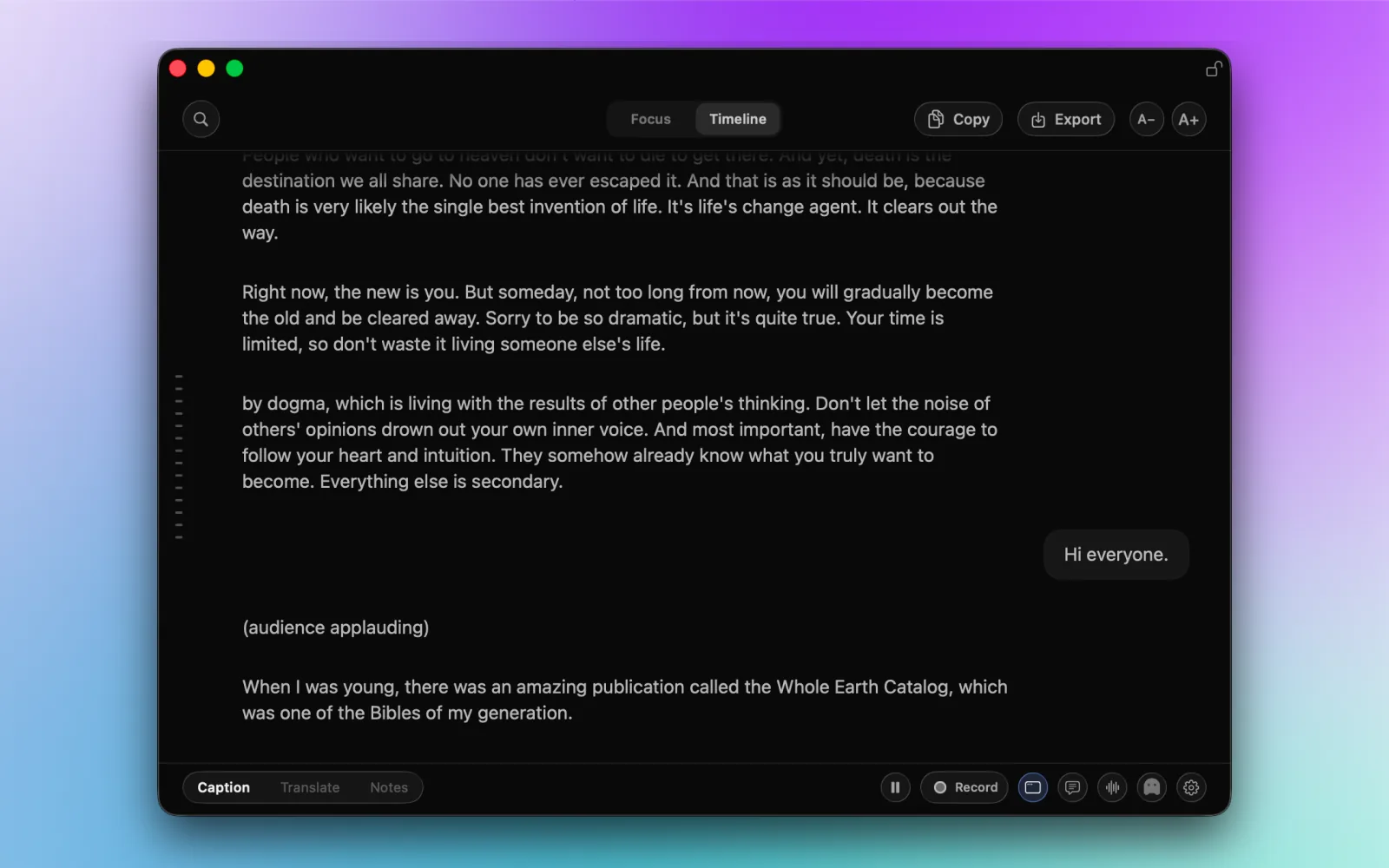
Choose Mac app audio, microphone speech, or both.
The meeting continues normally with no bot in the participant list.
Read captions in Focus view or search recent speech in Timeline.
Missed context stays available while people are still speaking.
Save a transcript, export captions, or create Meeting Intelligence on a supported Mac.
Use private meeting transcription for reviewed speakers and analytics, or explore every NotchLive feature.
NotchLive replaces the meeting bot, cloud archive, and recurring plan with a Mac workflow you control. Compare the current plans in the Otter AI pricing guide, or see the complete NotchLive pricing.
NotchLive also goes beyond historical transcript search: its opt-in local MCP can let Codex or Claude follow finalized captions from the active Timeline and translate the same meeting into multiple languages at once.
| What matters | NotchLive | Otter.ai |
|---|---|---|
| Meeting presence | Never joins the call | Notetaker can appear as another participant |
| Speech processing | WhisperKit and Core ML run on your Mac | Audio and transcripts use a cloud service |
| During the call | Live caption overlay with searchable recent context | Meeting transcript inside a cloud workspace |
| Active meeting through MCP | Optional active Timeline access for Codex or Claude, including parallel translation workflows | Not documented in Otter's current search and transcript-fetch tools |
| Free use | Unlimited live captions | Usage limits apply to free plans |
| Paid individual use | $24.99 once for Pro | Recurring subscription plans |
| Account and calendar | Neither is required for captioning | Cloud account and connected meeting workflow |
| Audio coverage | Calls, videos, lectures, podcasts, webinars, and microphone speech on Mac | Centered on captured conversations and the cloud meeting workspace |
Consent still matters: A bot-free workflow does not remove your responsibility to follow recording laws, workplace policy, confidentiality duties, or participant expectations. Read the NotchLive privacy policy.
NotchLive gives Mac users live captions, searchable transcripts, translation, and AI meeting notes without adding a bot to the call or requiring a recurring subscription.
Yes. NotchLive includes unlimited live captions at no cost. Pro adds translation, saved sessions, exports, Voice Notes, and Meeting Intelligence for a one-time purchase.
Yes. NotchLive captures audio available on your Mac and never joins Zoom, Google Meet, or Microsoft Teams as another participant.
No. WhisperKit and Core ML recognize speech on your Mac after the selected model is downloaded.
NotchLive can optionally expose the active Timeline to Codex or Claude while a meeting is happening, including workflows that translate finalized captions into multiple languages at once. Otter's published MCP tools currently describe user information, search, and transcript fetch for captured conversations.
Yes. Live captions are free, and NotchLive Pro costs $24.99 once rather than renewing every month or year.
Yes. NotchLive can caption capturable Mac app audio from Zoom, Google Meet, Microsoft Teams, browser video, and other audio sources.
Yes. Meeting Intelligence can organize captured speech into topics, entities, decisions, actions, and summaries on supported Macs with Apple Intelligence.
Download NotchLive for free. Upgrade once for translation, saved transcripts, Voice Notes, exports, and AI meeting summaries.